
Installation Problem.


I went through the whole installation step by step.
Got to step 8 message flashing up OK then what?
Got to this screen -
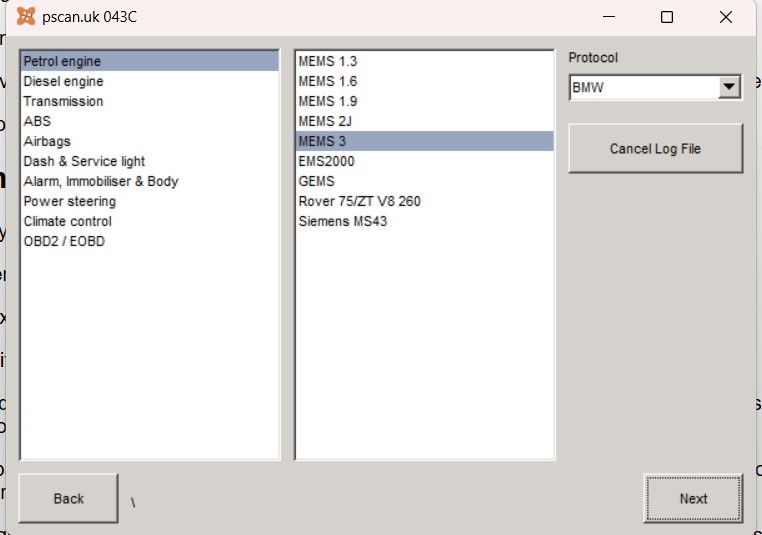
"Next" clicked but no effect.
Double clicked pscanwinapp (assuming that actual software)
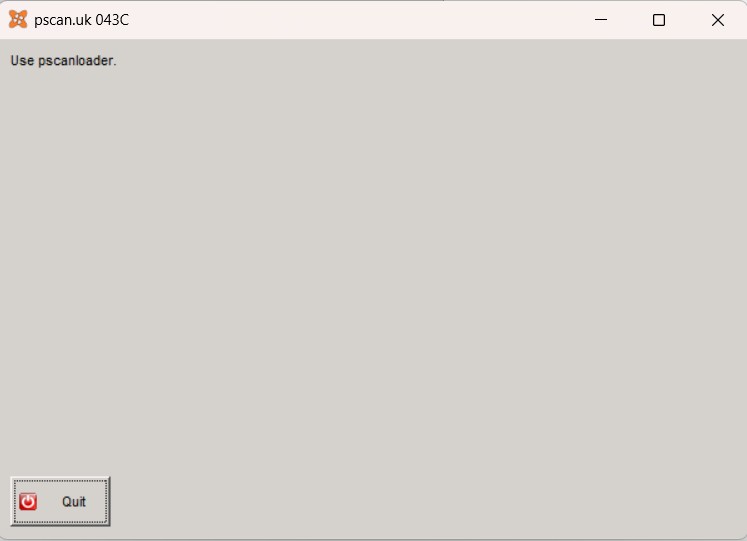
Going round in circles!
So to confirm -
Pscanloader is the app that loads the drivers and connects PC.
Pscanwinapp is the app hat does the actual diagnostics.?
There is no specific TF Mode (Hence BMW)
What am I doing wrong?
.
Got to step 8 message flashing up OK then what?
Got to this screen -
"Next" clicked but no effect.
Double clicked pscanwinapp (assuming that actual software)
Going round in circles!
So to confirm -
Pscanloader is the app that loads the drivers and connects PC.
Pscanwinapp is the app hat does the actual diagnostics.?
There is no specific TF Mode (Hence BMW)
What am I doing wrong?
.
Last Edit:2 months 4 weeks ago
by VinceR
Last edit: 2 months 4 weeks ago by VinceR.
Please Log in or Create an account to join the conversation.


On your first picture when you clicked Next did you have PScan box connected to your computer and your car?
Also when you say there is no TF mode hence BMW, you should use ISO mode. Modular Engine Management System 3 has nothing to do with BMW mode/protocol.
Also when you say there is no TF mode hence BMW, you should use ISO mode. Modular Engine Management System 3 has nothing to do with BMW mode/protocol.
by Roverlike
The following user(s) said Thank You: VinceR
Please Log in or Create an account to join the conversation.
Thanks Rl,
I Confirm Device was connected to both PC and Car.
I got the BMW question because that's what the PScan showed on the first scan on a different PC.
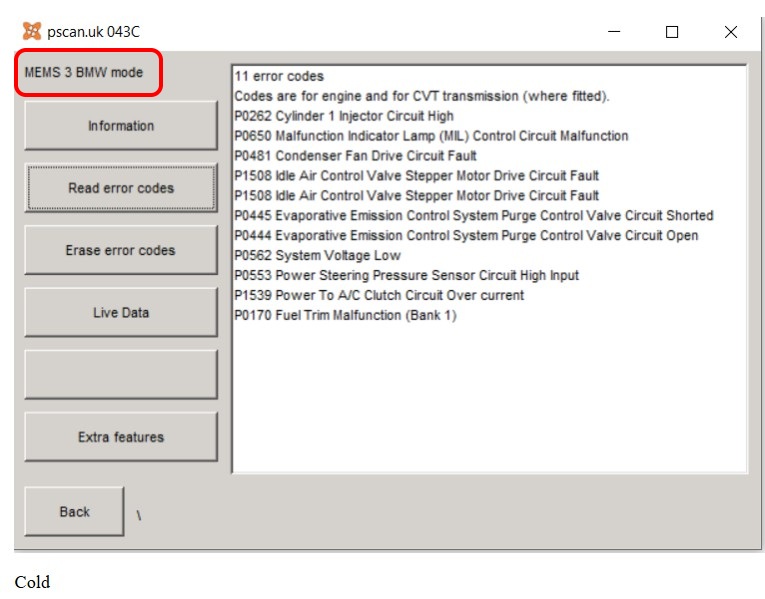
Could that mean most of the errors shown were meaningless? A/C? Idle stepper motors? Power steering pressure sensor?
Certainly meant very little to me?
I Confirm Device was connected to both PC and Car.
I got the BMW question because that's what the PScan showed on the first scan on a different PC.
Could that mean most of the errors shown were meaningless? A/C? Idle stepper motors? Power steering pressure sensor?
Certainly meant very little to me?
by VinceR
Please Log in or Create an account to join the conversation.
You got me thinking, but I stand corrected as I found this on pscan.uk pages:
"This ECU supports two modes, ISO mode and BMW mode. The BMW mode appears to be more reliable and therefore we recommend that customers use this one. Map tuning is only possible in BMW mode..
On our own Rover 25 the ECU is reluctant to connect if the engine is running. It may be necessary to switch the ignition on with the engine not running, connect pscan to the ECU, and then start the engine"
Seems that in case of MEMS 3 you can get better results with BMW mode. So disregard my previous post.
Was your engine running while you tried to connect?
"This ECU supports two modes, ISO mode and BMW mode. The BMW mode appears to be more reliable and therefore we recommend that customers use this one. Map tuning is only possible in BMW mode..
On our own Rover 25 the ECU is reluctant to connect if the engine is running. It may be necessary to switch the ignition on with the engine not running, connect pscan to the ECU, and then start the engine"
Seems that in case of MEMS 3 you can get better results with BMW mode. So disregard my previous post.
Was your engine running while you tried to connect?
by Roverlike
The following user(s) said Thank You: VinceR
Please Log in or Create an account to join the conversation.
Again many thanks.
I'll try again on the weekend ignition on but not started and see what happens. That goes a bit against the grain so
I probably tried either with the ignition off or engine running.
So, assuming it all connects, is that when the Scanwinapp is run?
Finicky little bludger isn't it?
I'll try again on the weekend ignition on but not started and see what happens. That goes a bit against the grain so
I probably tried either with the ignition off or engine running.
So, assuming it all connects, is that when the Scanwinapp is run?
Finicky little bludger isn't it?
by VinceR
Please Log in or Create an account to join the conversation.
Note that pscanwinapp cannot be run by itself. It must be run using pscanloader. So when everything is connected and you have green light on the box run pscanloader and you should get screens in which you choose ecus to examine.
by Roverlike
Please Log in or Create an account to join the conversation.

The difference between ISO and BMW modes is quite techie, and for most people it really doesn't matter.
For reading error codes and live data it makes absolutely no difference.
BMW and ISO are descriptions of very low level protocols used between the diagnostic tool and the car and most people can just ignore it.
Use the one that works best for you.
To use the software just run pscanloader.exe
pscanloader checks that you have the current software, enables updates etc, then it runs pscanwinapp which actually does the diagnostics.
Again, this is not something that people need to worry about. Just run pscanloader
I accept that it might be a little confusing the first time that you use it.
By the second or third time it just won't be a problem.
For reading error codes and live data it makes absolutely no difference.
BMW and ISO are descriptions of very low level protocols used between the diagnostic tool and the car and most people can just ignore it.
Use the one that works best for you.
To use the software just run pscanloader.exe
pscanloader checks that you have the current software, enables updates etc, then it runs pscanwinapp which actually does the diagnostics.
Again, this is not something that people need to worry about. Just run pscanloader
I accept that it might be a little confusing the first time that you use it.
By the second or third time it just won't be a problem.
Last Edit:2 months 3 weeks ago
by pscan.uk
Last edit: 2 months 3 weeks ago by pscan.uk.
Please Log in or Create an account to join the conversation.
Moderators: pscan.uk
Time to create page: 0.394 seconds