
Hi all - New member
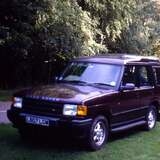

Just wanted to introduce myself, I don't own an MG but I'm doing some work on a friends 2005 tf.
I normally work on land rover's and other 4wd's. Looking for some electrical advice on the TF.
Josh
Please Log in or Create an account to join the conversation.

I think you will need to be more specific! What is your question?
Please Log in or Create an account to join the conversation.
- Notanumber
-
 Offline
- Senior MGer
-

Site Supporter
- Posts: 2375
- Thanks: 504
2003 MG TF 135 sunstorm
1979 MGB GT
Previously:
2002 115 TF + 1998 118 MG F
Please Log in or Create an account to join the conversation.



Please Log in or Create an account to join the conversation.


"Keep calm, relax, focus on the problem & PULL THE BLOODY TRIGGER"
Please Log in or Create an account to join the conversation.
So I've got the common deadlock issue with both door latches, they're stuck shut and the central locking and the key in the door isn't doing anything inside the lock mechanism, I'm guessing the motors are seized but I don't understand why the key in the barrel isn't unlocking anything?
Has anyone had any luck getting the motors turning by bypassing the SCU and feeding straight to them?
Thanks
Please Log in or Create an account to join the conversation.
- Notanumber
-
Offline
- Senior MGer
-
Site Supporter
- Posts: 2375
- Thanks: 504
The superlock circuit is a real PITA in my view and i disconnect it from each F/ TF ive had. The good news is at least there's a clear way around it with the fault that you have rather than a failure of the lock mechanism.
Wiring colours are in the diagrams in the Library section. One of them is a brown wire with thin pink stripes (the one i always cut) but can't remember what the colour of the other one is, that is shared with the main lock
2003 MG TF 135 sunstorm
1979 MGB GT
Previously:
2002 115 TF + 1998 118 MG F
Please Log in or Create an account to join the conversation.
Took the mechanism out and took the motor out, theres a cherry type microswitch with three tiny buttons which detect when it's locked and shut, one of them doesn't seem to be making contact, could this effect the whole central locking on both sides?
Thanks
Please Log in or Create an account to join the conversation.
- Airportable
-
 Offline
- Master MGer
-

Site Supporter
- Posts: 3675
- Thanks: 912
As with an ordinary mechanical lock, all the wards have to be in the correct place before a door is unlocked. The electronics is doing what the key is doing mechanically.
How good is your drawing? Could you draw the switch with measurements, overall dimensions, fixing centres, contact positions & plunger position.
As these switches are in all probability time expired, to be able to identify a replacement is going to extend the lock life for another twenty years, if a repair can be effective. There are a finite number of used locks left & new old stock won’t last for ever.
Thanks,
M
Please Log in or Create an account to join the conversation.
Not sure how to insert the image actually.
Thanks
Please Log in or Create an account to join the conversation.
Once you have clicked on the apply button. You will open the page you type your reply in.
Under your text window is another window with the heading:"Attachments"You can either drag and drop your picture into the box below or use the: "+ Add FIles" button to go into your file to find your pic.
Once you pic has been selected and it appears in the box below you will see a blue button below it: "Insert" once you've clicked that it will go green and say : In Message"
don't click anything else but the blue "Submit" button below that window and your done.
Tips: use your retun button on your keyboard to create a space between your text and pic so so to make it all a bit easier to rea. and do the same between multiple pix for clarity.
"Keep calm, relax, focus on the problem & PULL THE BLOODY TRIGGER"
Please Log in or Create an account to join the conversation.
- Airportable
-
Offline
- Master MGer
-
Site Supporter
- Posts: 3675
- Thanks: 912
This is how I have used the system to reasonably effect; my track record of picture embarrassments doesn’t detract from using this method.
M
Please Log in or Create an account to join the conversation.