
Software version 043C
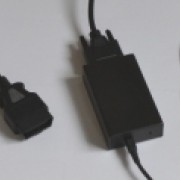

03.02.16 is the version number of the FTDI driver that the pscan software has detected.
This would suggest that the driver has installed.
I think that you need to go into the "device manager" and find the FTDI driver. The easiest way to find it is to plug and unplug the pscan so that you can see it disappearing and appearing in device manager.
If you can find the device maybe reinstall it.
Most of the electronics in the pscan interface are powered by the car battery, but the one exception is the FTDI chip, which is powered by the USB port, so you don't need to power the pscan from a car to see the driver appearing or disappearing in device manager.
This would suggest that the driver has installed.
I think that you need to go into the "device manager" and find the FTDI driver. The easiest way to find it is to plug and unplug the pscan so that you can see it disappearing and appearing in device manager.
If you can find the device maybe reinstall it.
Most of the electronics in the pscan interface are powered by the car battery, but the one exception is the FTDI chip, which is powered by the USB port, so you don't need to power the pscan from a car to see the driver appearing or disappearing in device manager.
Last Edit:1 year 2 months ago
by pscan.uk
Last edit: 1 year 2 months ago by pscan.uk.
The following user(s) said Thank You: Spike03
Please Log in or Create an account to join the conversation.


I've done as you suggested but there's no reaction in device manager. The USB controllers section simply doesn't change. I've tested it with two known good cables and tested the USB port on the laptop with another plug-in device. All of that is working fine and the other device appears in device manager. There's not even a 'per-dong' when I plug Pscan in. It points to the USB-B port on the Pscan box not receiving the message from the program on the laptop. I can open the box and have a look at the soldering but I don't want to take that step without you saying that's OK. Thanks for your continuing support.
by Spike03
Please Log in or Create an account to join the conversation.
Yes open it.
the best way is to slide some old credit cards around the joint to release the two halves on both sides at the same time.
the best way is to slide some old credit cards around the joint to release the two halves on both sides at the same time.
by pscan.uk
Please Log in or Create an account to join the conversation.

Sadly this is a question from the less familiar with these products.
I have pscan installed on a very old laptop with a flat battery using an early version of windows probably XP.
I also have it on a notebook that is on Windows 10 that will not upgrade to Windows 11 as there is insufficient memory.
I’m a little reluctant to download new software fearing the worst. Bearing in mind that MS is withdrawing support for Windows 10 later this year would it be best to try and download the new software or just leave as it is?
Any help would be appreciated. Thank you.
I have pscan installed on a very old laptop with a flat battery using an early version of windows probably XP.
I also have it on a notebook that is on Windows 10 that will not upgrade to Windows 11 as there is insufficient memory.
I’m a little reluctant to download new software fearing the worst. Bearing in mind that MS is withdrawing support for Windows 10 later this year would it be best to try and download the new software or just leave as it is?
Any help would be appreciated. Thank you.
by Delbourt
Please Log in or Create an account to join the conversation.
Support of pscan has nothing to do with Microsoft's support of Windows 10.
Microsoft are stopping support of 10, but I have plenty of customers on 7 and even XP.
Whatever version of Windows you have, I'm going to try my best to support you.
But, I am not going to support old versions of pscan.
Microsoft are stopping support of 10, but I have plenty of customers on 7 and even XP.
Whatever version of Windows you have, I'm going to try my best to support you.
But, I am not going to support old versions of pscan.
by pscan.uk
The following user(s) said Thank You: Delbourt
Please Log in or Create an account to join the conversation.
Thank you. When I am feeling relaxed and unlikely to be disturbed for n hour or two I’ll have a go at updating my pscan on both machines.
by Delbourt
Please Log in or Create an account to join the conversation.

instructions are here
https://pscan.uk/install/
by pscan.uk
Please Log in or Create an account to join the conversation.
Hi, I bought a pscan back in 2015. It worked great, but I havent used it since 2016/17. I only installed it on one laptop, (running XP), which still works.
Do I just run the latest install? On the old laptop or a new laptop with Win10/11?
Thank you!
Do I just run the latest install? On the old laptop or a new laptop with Win10/11?
Thank you!
by Jaro
Please Log in or Create an account to join the conversation.

I would just use the old laptop if that still works, but if it won't run on windows 11, you can create a virtual machine : install Oracle Virtualbox on you win 11 machine, and google for a virtuabox windows XP image. For accessing the USB port from the virtual machine, you need to configure that in your virtualbox settings. But AI is your friend, so won't be too hard.
by tnjk
Please Log in or Create an account to join the conversation.

The jury is still out on this last bit!But AI is your friend, so won't be too hard.
"Keep calm, relax, focus on the problem & PULL THE BLOODY TRIGGER"
by Cobber
The following user(s) said Thank You: sworkscooper
Please Log in or Create an account to join the conversation.
Not recommended. Virtualbox isn't supported and probably won't work.I would just use the old laptop if that still works, but if it won't run on windows 11, you can create a virtual machine : install Oracle Virtualbox on you win 11 machine, and google for a virtuabox windows XP image. For accessing the USB port from the virtual machine, you need to configure that in your virtualbox settings. But AI is your friend, so won't be too hard.
by pscan.uk
Please Log in or Create an account to join the conversation.
Moderators: pscan.uk
Time to create page: 0.720 seconds